
Using the eBook Offline
Available with eBook Plus. Download a copy of your eBook so you can access it without an Internet connection.
Download your eBook
-
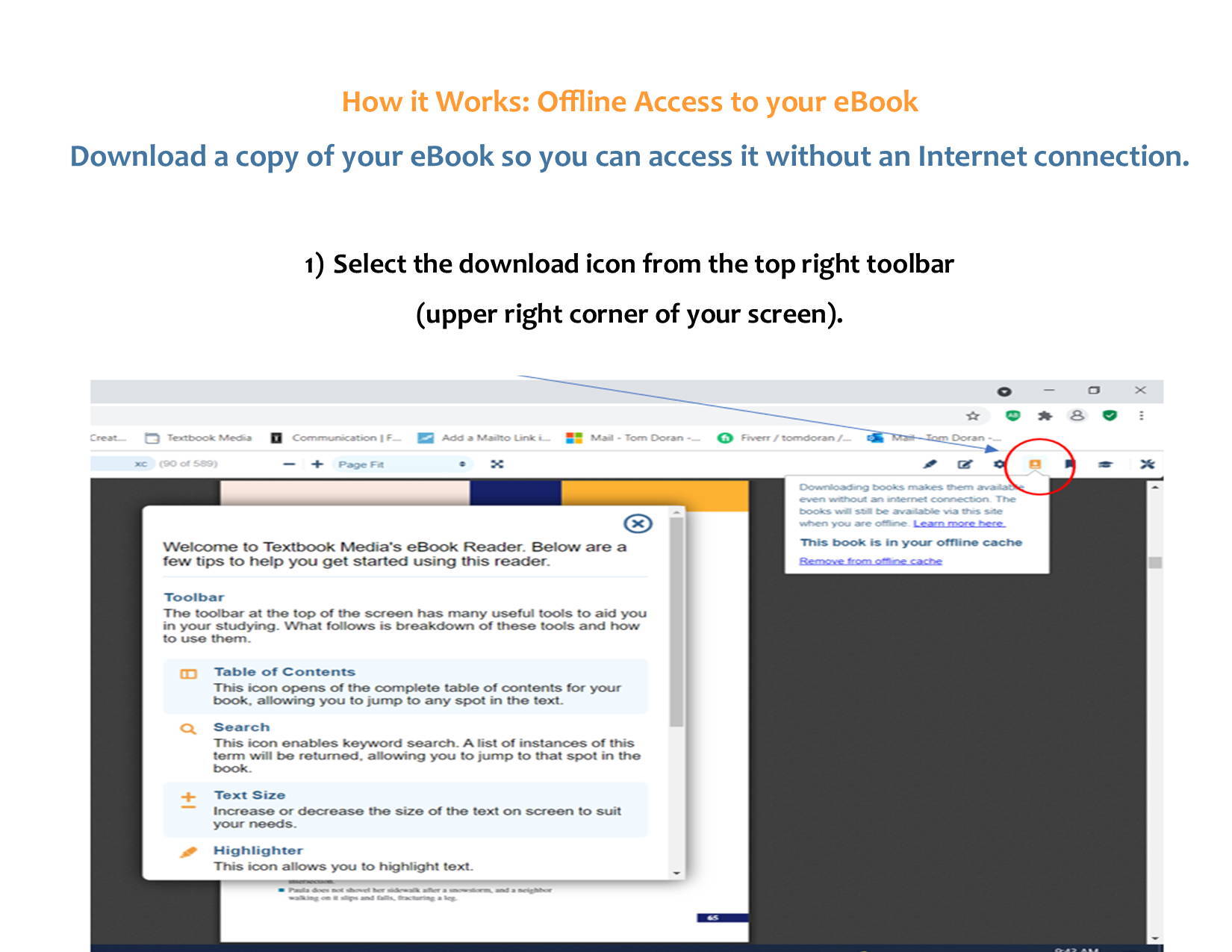
Select the download icon
Select the download icon from the toolbar in the upper-right corner of the reader.
-
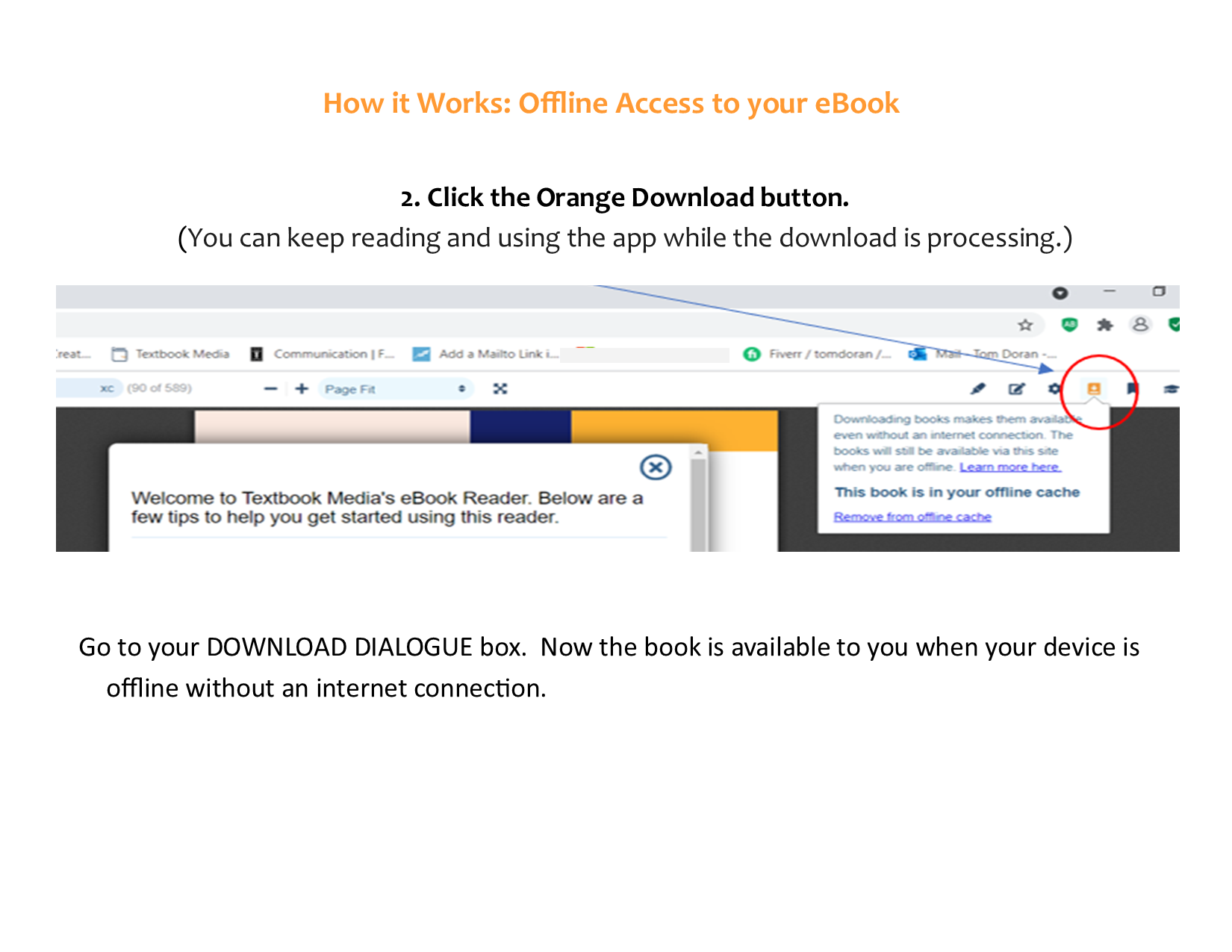
Download the book
Click the orange Download button. You can keep reading and using the app while the download is processing.
-
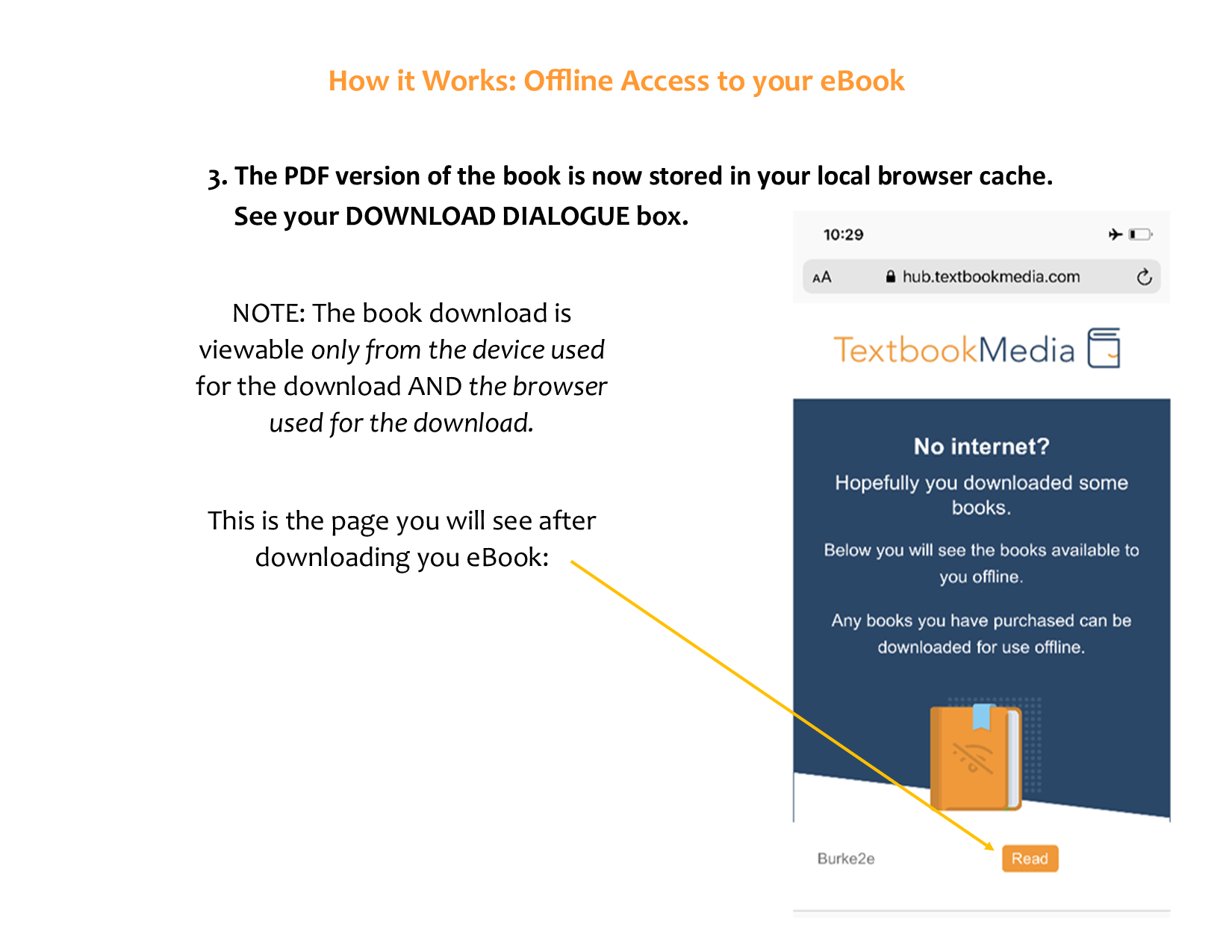
Use the same device and browser
The PDF version of the book is stored in your local browser cache. The downloaded book is viewable only from the device and browser used for the download.
-
Bookmark the PDF Reader URL
Save the reader’s URL so you can return to your book when you are offline.
What can I do in offline mode?
- Can I annotate and leave comments?
- Yes.
- Can I sync my annotations?
- Partially. Annotations made while you are online sync to your offline devices. Annotations made in offline mode do not currently save across all of your devices once you are back online.
- Can I use the Table of Contents drawer?
- Yes.
- Can I print or save to PDF?
- No.
- Can I do in-book searches?
- No.
- Can I use the text-to-speech or speed reader tools?
- Yes.
- Do links in the book work?
- Links within the same book work.
To remove a downloaded book, select Remove from offline cache in the download dialogue.